Surprised
[surprised]
Description
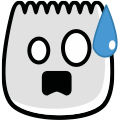
A wide-eyed face with a small open mouth. It typically reads as general surprise, discovery, or a mild shock reaction; surrounding text can change the interpretation.
Usage Examples
- "So surprised [surprised]"
- "I'm shocked [surprised]"
- "Amazing [surprised]"
Tags
Platform Support
Documented for TikTok comments and captions on iOS and Android. Type [surprised] exactly as shown and confirm that it renders in your current app version.
[surprised] TikTok Emoji Reference
Visual description: A wide-eyed face with a small open mouth.
Meaning and comparison
Primary tone
general surprise, discovery, or a mild shock reaction. Read the words, audio, and conversation around it before assuming a meaning.
Closest Unicode approximation
😮 communicates a similar idea, but it is a standard Unicode emoji with different artwork—not the same asset as TikTok’s [surprised].
Often confused with
[astonish]: Use [astonish] for stronger amazement; [surprised] is the broader reaction.
Code and compatibility check
Exact documented code
Enter [surprised] in lowercase with both square brackets. Hyphens and spaces are not part of this code.
If it remains plain text
Check spelling, update TikTok, and try the current comment or caption composer. Rendering can vary by surface, app version, account, or region.
Reference status
Last reference review: July 29, 2026. [surprised] is included in the documented 46-code TikTok set. This page records the code and artwork; it does not guarantee current rendering on every TikTok surface.
External cross-check: Emojipedia’s TikTok emoji list. For an important post, confirm the result in the current app before publishing.